His Best Asset Was Buried in a Google Drive Folder
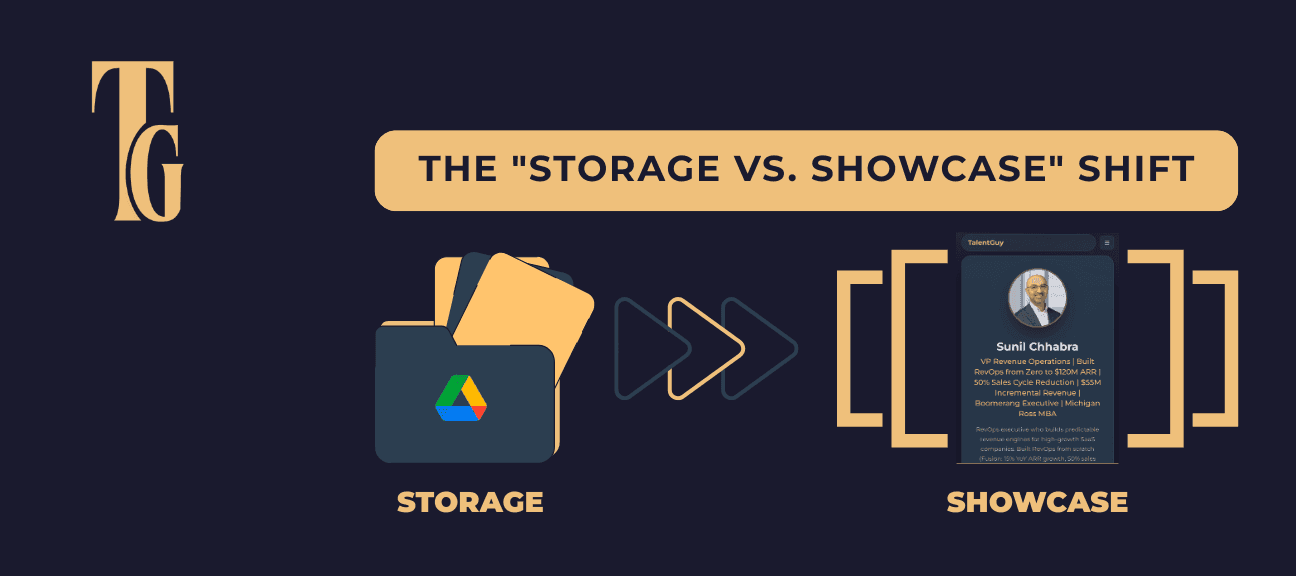
Your best work is sitting in your drive. Your Featured Section is empty. Fix it.
His Best Asset Was Buried in a Google Drive Folder
Yesterday I started a LinkedIn audit for a new client.
Gaming solutions architect. Built products at Hasbro and Apple. Strong credentials. Impressive background.
First thing I do with every audit—I tell them to send me everything. Presentations. Demos. Articles. Press releases. Whatever they've got that shows their work.
He sent over a pile of files. PowerPoints from old projects. Strategy decks. Product specs. The usual stuff executives accumulate over years of work.
Buried in there was a link to a live demo of a video game solution his team built and shipped.
Not a slide deck about it. Not a description. A live, functioning demo. You could actually play it. Right there in the browser.
I stopped.
"This needs to be the first thing anyone sees on your LinkedIn profile."
He was confused. To him, it was just another project file sitting in a Google Drive folder. Something he'd worked on a while back. Nothing special.
To a recruiter or hiring manager? It's everything.
We pinned it to his Featured Section immediately. Now when someone lands on his profile, the first thing they see isn't bullet points or a resume PDF.
It's a live, playable demo of his work.
That's proof. Not claims. Proof.
And here's what kills me: This pattern repeats with almost every executive I audit.
Their best stuff is buried. Sitting in old slide decks. Forgotten project folders. Archived emails. Drive links they haven't opened in months.
Meanwhile their LinkedIn Featured Section—the prime real estate at the top of their profile—is either completely empty or filled with generic content that does absolutely nothing for them.
If you're in executive job search right now, this might be costing you opportunities every single day.
Here's what belongs in your Featured Section—and why most executives are getting this completely wrong.
What the Featured Section Actually Is (And Why It Matters)
Let's start with the basics, because most executives don't understand what this section actually does.
Your LinkedIn Featured Section appears:
- Directly below your headline and contact info
- Above your About section
- Above your experience
- At the very top of your profile
It's the first substantial content anyone sees.
When a recruiter finds your profile, they see:
- Your headline
- Your Featured Section (if you have one)
- Then they have to scroll for everything else
That positioning is critical.
Most profiles look like this:
- Strong headline
- Empty Featured Section (or worse, generic placeholder content)
- About section that might be good but requires scrolling
So the recruiter's experience is:
"Okay, interesting headline. Let me scroll down to learn more..."
Compare that to a profile with strategic Featured content:
- Strong headline
- Immediate proof of capability (live demo, case study, portfolio)
- About section reinforcing what they just saw
The recruiter's experience:
"Interesting headline. Oh wow, look at this work. This person is legit. Let me keep reading..."
You've created engagement momentum before they even get to your About section.
The Psychology: Show, Don't Tell
Here's why the Featured Section is so powerful:
Every other section of your LinkedIn is you making claims about yourself:
- "Experienced executive leader..."
- "Proven track record of..."
- "Successfully delivered..."
Claims require the reader to trust you.
The Featured Section is different. It's you showing proof:
- Here's a live demo of what I built
- Here's a published article demonstrating my expertise
- Here's a case study with real numbers
- Here's a presentation I gave at a major conference
Proof doesn't require trust. It creates trust.
When my gaming solutions architect client had an empty Featured Section, recruiters had to take his word that he built impressive products.
When we added the live demo, they could see it themselves. Play with it. Experience it.
That's the difference between "This person says they're good" and "This person is demonstrably good."
What Actually Belongs in Your Featured Section
Not everything deserves Featured Section real estate. This is prime visibility—use it strategically.
Category 1: Live Demonstrations of Your Work
Best for: Product people, engineers, designers, anyone who builds tangible things
Examples:
- Live product demos (like my gaming client)
- Interactive prototypes
- Working dashboards or tools
- Apps or platforms you built
- GitHub repositories showing your code
Why this works:
Nothing beats "try it yourself" as proof of capability. When someone can interact with what you built, they experience your competence directly.
My client's gaming demo isn't just impressive—it's memorable. A recruiter who sees 50 profiles in a day will remember the one where they actually played a game.
How to implement:
If you've built something that's publicly accessible:
- Add it as a Link in Featured Section
- Write a compelling title: "Live Demo: Video Game Solution Architecture"
- Add a brief description explaining what it is and your role
If your work isn't public (internal tools, proprietary products):
- Create a video walkthrough
- Build a sanitized demo version
- Document it with screenshots and description
- Record a Loom explaining the architecture
Category 2: Published Thought Leadership
Best for: All executives, especially those positioning as strategic thinkers
Examples:
- Articles you've written (Medium, company blog, LinkedIn articles)
- Published research or whitepapers
- Industry publications featuring your insights
- Op-eds or contributed pieces
Why this works:
Published content positions you as someone who doesn't just do the work—you think deeply about it and can articulate strategic insights.
When a recruiter sees you're published in credible outlets, your credibility immediately increases.
How to implement:
Feature your best 2-3 published pieces:
- Lead with your most impressive publication (major outlet, high engagement)
- Include pieces that demonstrate strategic thinking relevant to your target roles
- Avoid generic LinkedIn posts—feature substantive long-form content
Title format: "Published in [Outlet]: [Compelling headline]"
Description: One sentence explaining the key insight or why it matters
Category 3: Major Presentations or Speaking Engagements
Best for: Executives positioning as industry experts or thought leaders
Examples:
- Conference keynote presentations
- Webinar recordings
- Panel discussion appearances
- Workshop materials from industry events
Why this works:
Speaking at major conferences or events signals credibility and industry recognition. It's third-party validation of your expertise.
If someone invited you to speak, that's social proof that others consider you an expert.
How to implement:
If you have video:
- Upload the recording to YouTube or LinkedIn Video
- Feature it with title: "Keynote: [Event Name] - [Topic]"
If you only have slides:
- Upload the deck to SlideShare or as a PDF
- Feature it with context about the event and audience
If you have neither:
- Create a post describing the presentation
- Include photos from the event
- Quote key insights you shared
- Feature that post
Category 4: Case Studies and Results Documentation
Best for: Operations executives, consultants, anyone who drives measurable outcomes
Examples:
- Detailed case studies of transformations you led
- Before/after documentation of improvements
- ROI analyses of initiatives
- Problem-solution-results narratives
Why this works:
Case studies demonstrate your process and results simultaneously. They show how you think strategically and execute tactically.
Numbers and specifics make claims credible.
How to implement:
Create a one-page case study for each major achievement:
Structure:
- Situation: The challenge or problem
- Approach: Your strategic solution
- Results: Quantified outcomes
- Learnings: What made it work
Save as PDF and feature with compelling title: "Case Study: How We Reduced Customer Churn 34% in 90 Days"
Category 5: Media Mentions and Press Coverage
Best for: Executives with public visibility or major company achievements
Examples:
- Press releases about initiatives you led
- News articles mentioning your work
- Podcast appearances discussing your expertise
- Award announcements or recognition
Why this works:
Third-party validation is more credible than self-promotion. When others are writing about your work, it signals importance.
How to implement:
Feature 2-3 most impressive media mentions:
- Major outlet coverage over smaller publications
- Recent mentions over old ones (unless it's truly significant)
- Pieces where you're quoted showing expertise
- Coverage of results you drove, not just announcements
Category 6: Your Strategic Frameworks or Methodologies
Best for: All executives, especially those with proprietary approaches
Examples:
- Visual frameworks you've developed
- Methodologies you use
- Strategic models you've created
- Process diagrams showing your approach
Why this works:
Original frameworks demonstrate strategic thinking and intellectual property. They show you don't just execute—you innovate.
When someone sees your framework, they think: "This person has systematized their expertise."
How to implement:
Create clean, professional visuals of your frameworks:
- Use Canva, PowerPoint, or hire a designer
- Keep it simple and scannable
- Add brief explanation in the description
- Title format: "The [Your Name] Framework for [Specific Outcome]"
What Doesn't Belong in Your Featured Section
Just as important as what to include is what to exclude.
❌ Your Resume as a PDF
Why this fails:
Your entire LinkedIn profile is essentially your resume. Featuring your resume PDF is redundant and wastes prime real estate.
Exception: If you have a visually stunning, infographic-style resume that's genuinely impressive, maybe. But 99% of resume PDFs don't qualify.
❌ Generic Company Presentations
Why this fails:
Featuring your company's standard investor deck or sales presentation doesn't demonstrate your unique value. It shows you have access to company materials.
Exception: If you created the presentation and it showcases your strategic thinking, okay. But it better be truly impressive.
❌ Certification Badges or Course Completions
Why this fails:
"I completed a course" isn't impressive at the executive level. Everyone has certifications.
Exception: If it's a highly selective program (Harvard Business School executive education, exclusive industry certification) and it's recent and relevant, maybe include one.
❌ Stock Photos or Inspirational Quotes
Why this fails:
This is LinkedIn, not Instagram. Generic motivational content doesn't demonstrate capability.
No exceptions. Just don't.
❌ Old Work That's No Longer Relevant
Why this fails:
Your Featured Section should represent your current expertise and target role direction. Featuring work from 10 years ago in a different field confuses your positioning.
Exception: If the old work is so impressive it's become part of your personal brand, maybe. But be strategic about this.
The Featured Section Audit: What's on Your Profile Right Now?
Here's the exercise I do with every client during an audit.
Pull up your LinkedIn profile. Look at your Featured Section.
Then answer these questions honestly:
Question 1: Do you even have anything in your Featured Section?
If the answer is no, you're leaving prime real estate completely empty. Every person who views your profile sees nothing but your headline and then has to scroll.
Question 2: If you do have content featured, is it your absolute best work?
Or is it random stuff you added once and forgot about? Old presentations? Generic posts?
Question 3: Does your Featured content demonstrate tangible capability?
Can someone look at it and immediately understand what you're capable of? Or is it vague and generic?
Question 4: Would a recruiter or hiring manager be impressed?
Put yourself in their shoes. They see 50 profiles today. Does your Featured Section make yours memorable?
Question 5: Is your best work buried somewhere else?
Go through your files. Old presentations. Past projects. Articles you wrote. Demos you built. What are you sitting on that deserves to be featured?
The Gaming Client's Before and After
Before the audit:
Featured Section: Empty -Recruiter experience:* Sees headline, has to scroll to learn more, reads bullet points about experience -Memorability:* Generic. Like every other gaming solutions architect.
After the audit:
Featured Section: Live playable demo of his video game solution -Recruiter experience:* Sees headline, immediately plays with impressive interactive demo, thinks "this person is legit" -Memorability:* High. Only profile where they actually played something.
The difference isn't his credentials—those didn't change.
The difference is making his best work immediately visible instead of buried in a Google Drive folder.
How to Build Your Featured Section This Week
Stop reading and actually do this. It takes 2-3 hours maximum and dramatically improves your profile.
Step 1: Inventory Your Best Work (30 minutes)
Go through:
- Google Drive or Dropbox
- Old presentation folders
- Past project files
- Published articles or posts
- Conference decks
- Case studies you've created
- Demos or prototypes
- Media mentions or press
Make a list of everything that demonstrates your capability.
Step 2: Select Your Top 3-5 Items (15 minutes)
Criteria for selection:
- Demonstrates tangible results or capability
- Relevant to your target roles
- Impressive to someone who doesn't know you
- Recent enough to be current (within last 3-5 years)
- Shows you at your best
Prioritize:
- Live demos or interactive content (highest impact)
- Published thought leadership in credible outlets
- Case studies with quantified results
- Major presentations or speaking engagements
- Strategic frameworks you've developed
Step 3: Prepare the Content (1-2 hours)
For each item:
If it's already online (article, video, demo):
- Get the direct URL
- Write a compelling title (10 words max)
- Write a 1-2 sentence description
If it's a file (PDF, PowerPoint, document):
- Clean it up if needed
- Remove any confidential information
- Save as PDF if it's not already
- Write title and description
If it needs to be created (case study, framework visual):
- Block 30-60 minutes to create it properly
- Use simple, clean design
- Focus on clarity over complexity
Step 4: Add to Your Featured Section (15 minutes)
On desktop LinkedIn:
- Go to your profile
- Scroll to Featured Section (or add it if you don't have it)
- Click "Add featured"
- Choose "Link", "Post", or "Media"
- Add your content with compelling titles
- Arrange them in order of impact (most impressive first)
Pro tip: Your featured items appear in the order you add them. Put your strongest piece first.
Step 5: Get Feedback (15 minutes)
Ask 2-3 trusted colleagues:
"I just updated my LinkedIn Featured Section. Can you look at it and tell me:
- What's your immediate impression?
- Do the items make you think 'this person is credible'?
- Is there anything confusing or unclear?"
Incorporate feedback and refine.
The Most Common Featured Section Mistakes
I see these patterns repeatedly in audits:
Mistake 1: Featuring Too Many Items
The problem: 8-10 items in Featured Section creates decision paralysis. Nothing stands out.
The fix: 3-5 items maximum. Your absolute best work only.
Mistake 2: Generic Titles
Bad: "Presentation 2023.pdf" -Bad:* "My article" -Bad:* "Case study"
Good: "How We Reduced CAC 40% While Scaling 3x" -Good:* "Keynote: SaaStr 2024 - AI-Driven Sales Operations" -Good:* "Live Demo: Enterprise Analytics Platform"
Titles matter. Make them compelling.
Mistake 3: No Context in Descriptions
The problem: Featuring a link or document with no description forces the viewer to click to understand what it is.
The fix: Write 1-2 sentences explaining what it is, why it matters, or what the outcome was.
Mistake 4: Outdated Content
The problem: Featuring work from 2015 signals you haven't done anything impressive recently.
The fix: Focus on last 3-5 years. If older work is truly exceptional, that's fine, but balance it with recent content.
Mistake 5: All Self-Published Content
The problem: Only featuring your own LinkedIn articles or posts lacks third-party validation.
The fix: Mix self-created content with external validation (published articles, speaking gigs, media mentions).
The Bottom Line: Your Best Work Should Be Visible, Not Buried
Yesterday I audited a gaming solutions architect's LinkedIn.
His best asset—a live, playable demo of his work—was buried in a Google Drive folder.
He had no idea it was that powerful.
We pinned it to his Featured Section. Now every recruiter or hiring manager who lands on his profile sees proof of his capability immediately. Not claims. Proof.
This pattern repeats with almost every executive I audit.
Their best stuff is buried. Sitting in old slide decks. Forgotten project folders. Archived emails.
Meanwhile their Featured Section is either empty or filled with generic content that does nothing.
Your Featured Section is prime real estate:
- First substantial content anyone sees
- Above your About section
- Above your experience
- Creates engagement momentum
And most executives are completely wasting it.
What belongs in your Featured Section:
✓ Live demonstrations of your work
✓ Published thought leadership
✓ Major presentations or speaking engagements
✓ Case studies with quantified results
✓ Media mentions and press coverage
✓ Strategic frameworks you've developed
What doesn't belong:
❌ Your resume PDF
❌ Generic company presentations
❌ Certification badges
❌ Stock photos or inspirational quotes
❌ Outdated irrelevant work
The action item is simple:
Go look at your Featured Section right now. Then ask yourself: Is my best work visible, or is it buried in a folder somewhere?
If it's buried, spend 2-3 hours this week fixing that.
Your next opportunity might come from a recruiter who lands on your profile for 30 seconds.
What do you want them to see first?
Ready to Make Your Best Work Visible?
Your LinkedIn profile is your first impression with every recruiter and hiring manager. Make it count.
Get Your Free LinkedIn Assessment and I'll audit your profile including your Featured Section strategy.
Contact Me to discuss a comprehensive LinkedIn profile optimization.
Join My Newsletter for weekly strategies on executive job search and LinkedIn optimization.
Written by
Bill Heilmann